What inspection variables should be evaluated?
Save brightness settings, warm-up time and exposure before comparing image levels across batches or restarts.
What lighting geometry fits this inspection task?
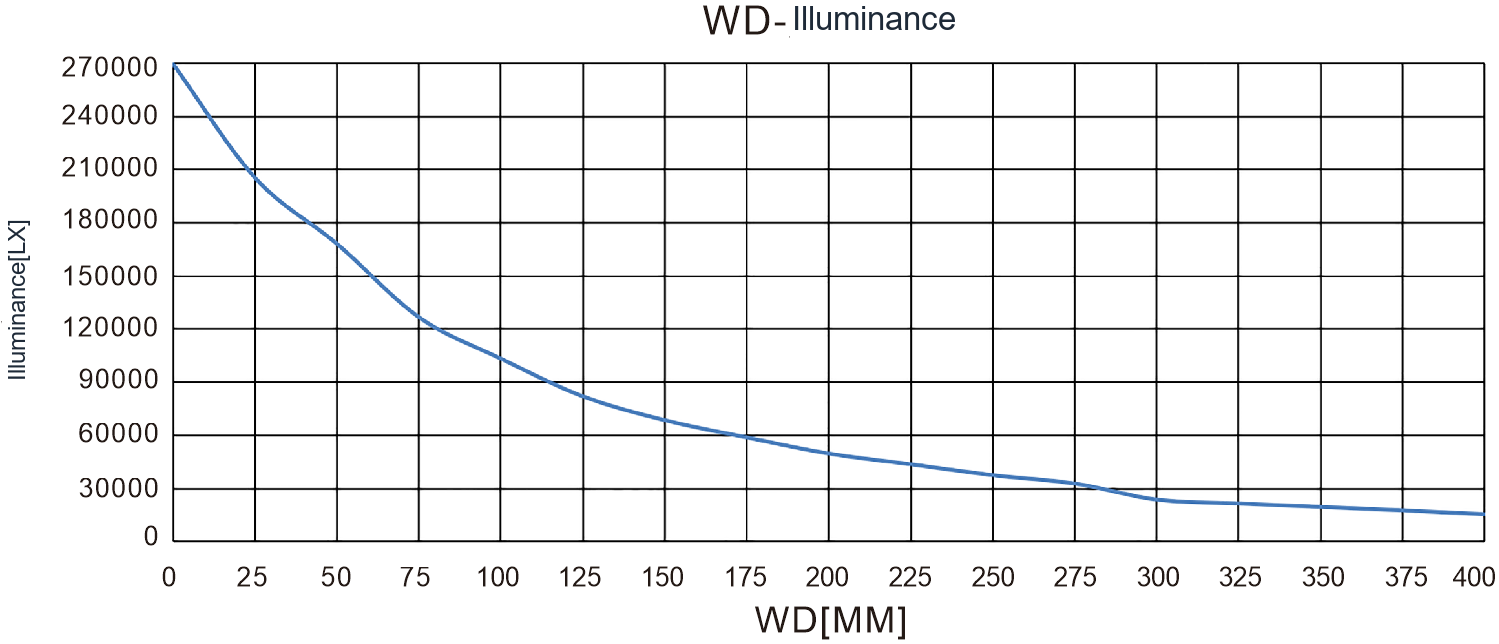
Align the illuminated line with the camera scan line and cover the complete inspection width. Compare brightness, working distance and line width together; housing length alone is not enough. Continuous motion also needs stable triggering and speed information.
Fix line rate and exposure, compare both ends with the centre, and check moving samples for smear and banding. Cooling affects sustained operation, so repeat captures after temperature stabilises. Record speed, mounting angle and controller settings to make the setup reproducible.
Related product family?
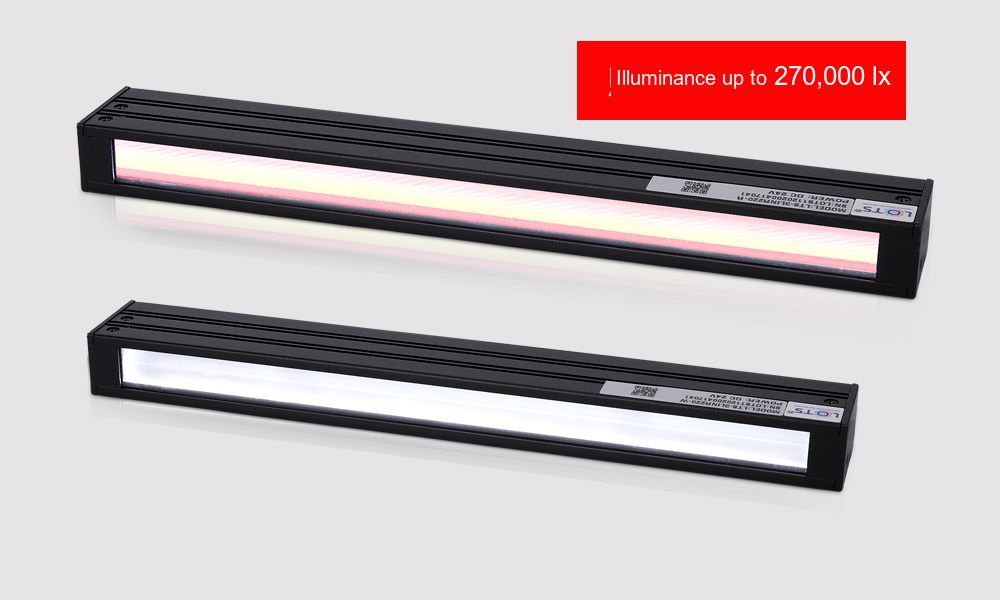
LXV-3LINR
A focused line of light for inspecting surfaces and edges.
Before choosing a configuration?
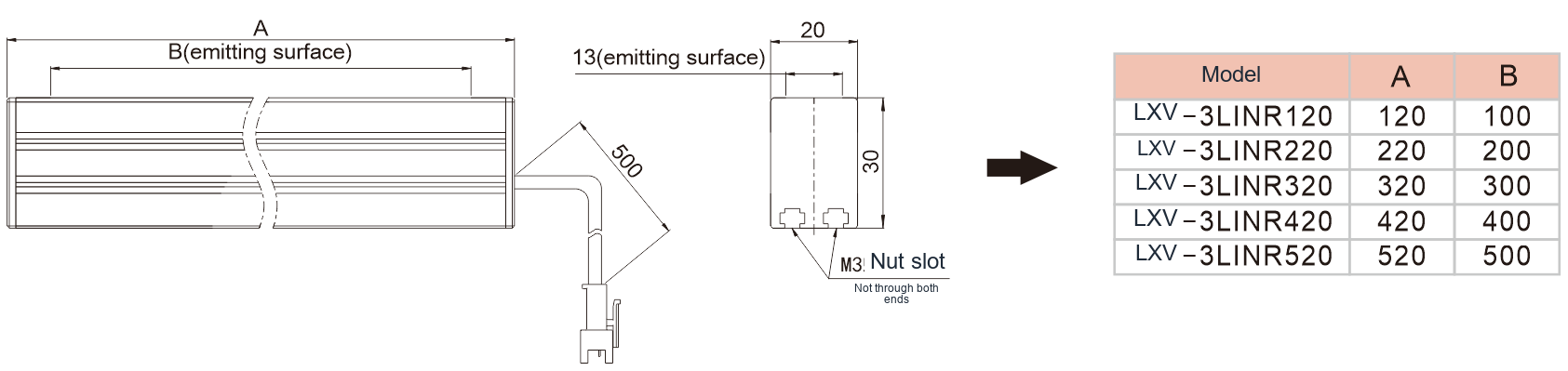
For selection, specify the field of view, smallest target feature, height variation, cycle time and installation space. Use the specific product page and drawing to verify electrical ratings, dimensions and compatibility.
Checking repeatable line-light adjustment?
Create a baseline using a uniform target and fixed camera settings. Measure the image response at several useful brightness settings. Repeat the sequence after warm-up to distinguish control repeatability from thermal drift.
Save light settings with the inspection recipe and verify them after power cycling. Check the darkest field position and the actual defect contrast. Avoid treating controller resolution as a direct statement of optical accuracy.
What do the optical setup and sample images show?