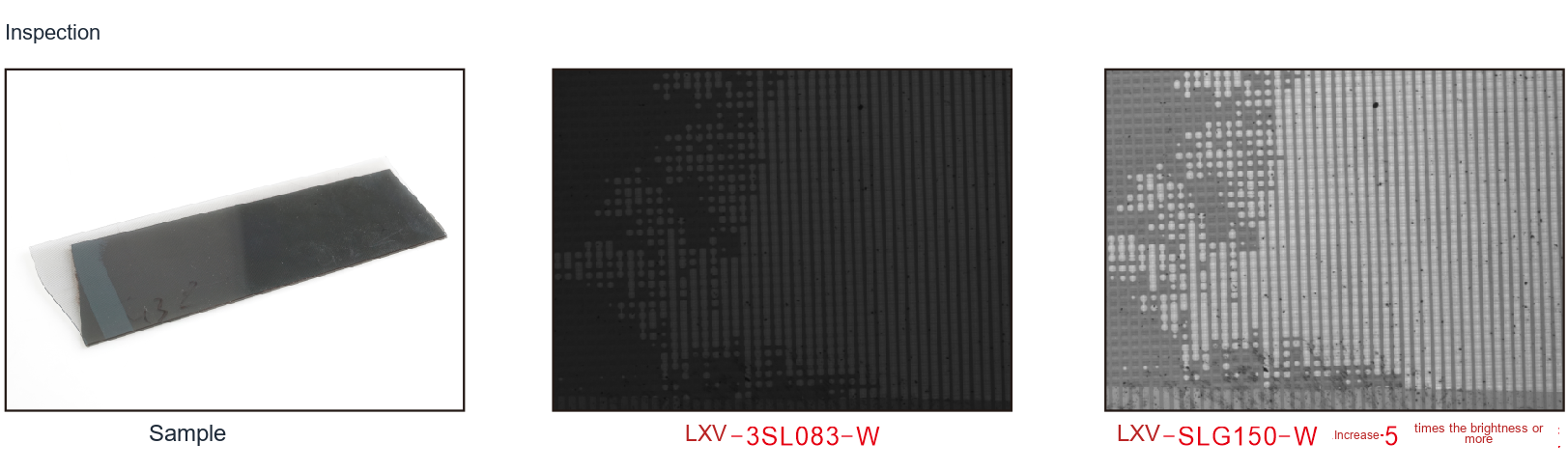
What inspection variables should be evaluated?
Guide length, bending and coupling losses affect output. Verify brightness and uniformity in the final installed configuration.
What lighting geometry fits this inspection task?
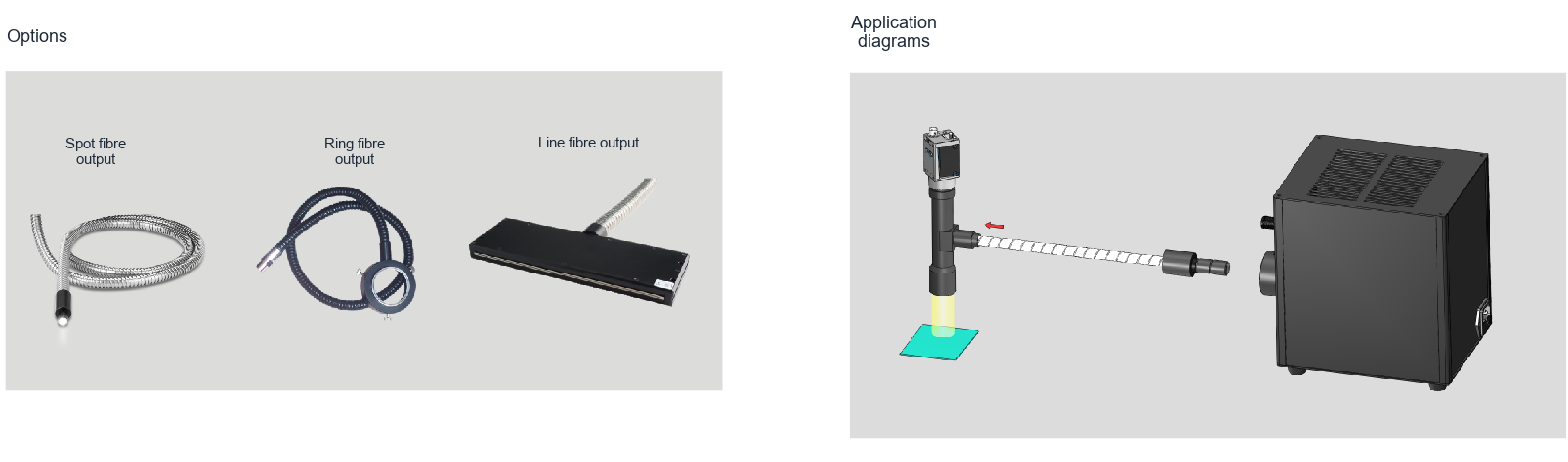
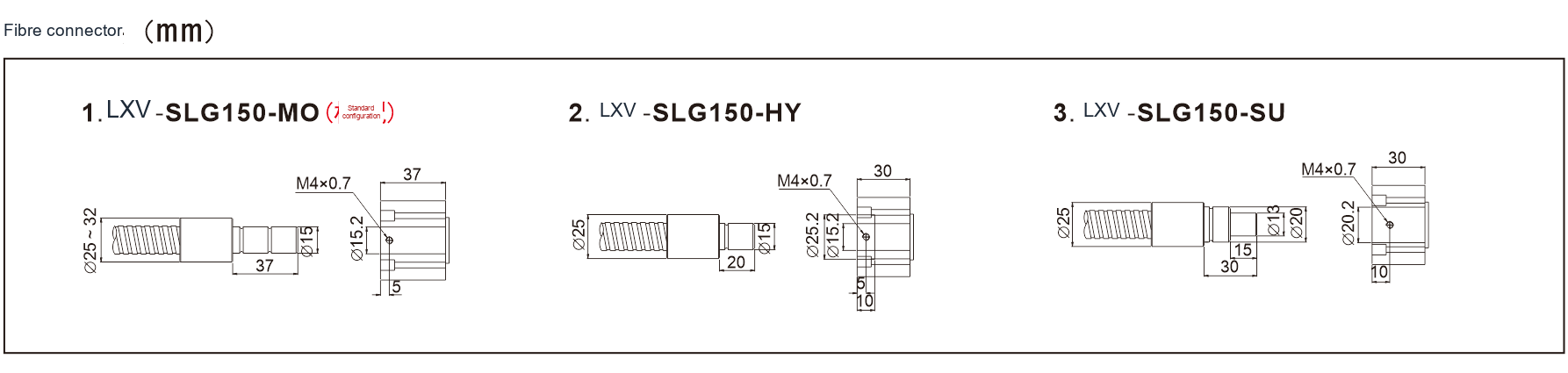
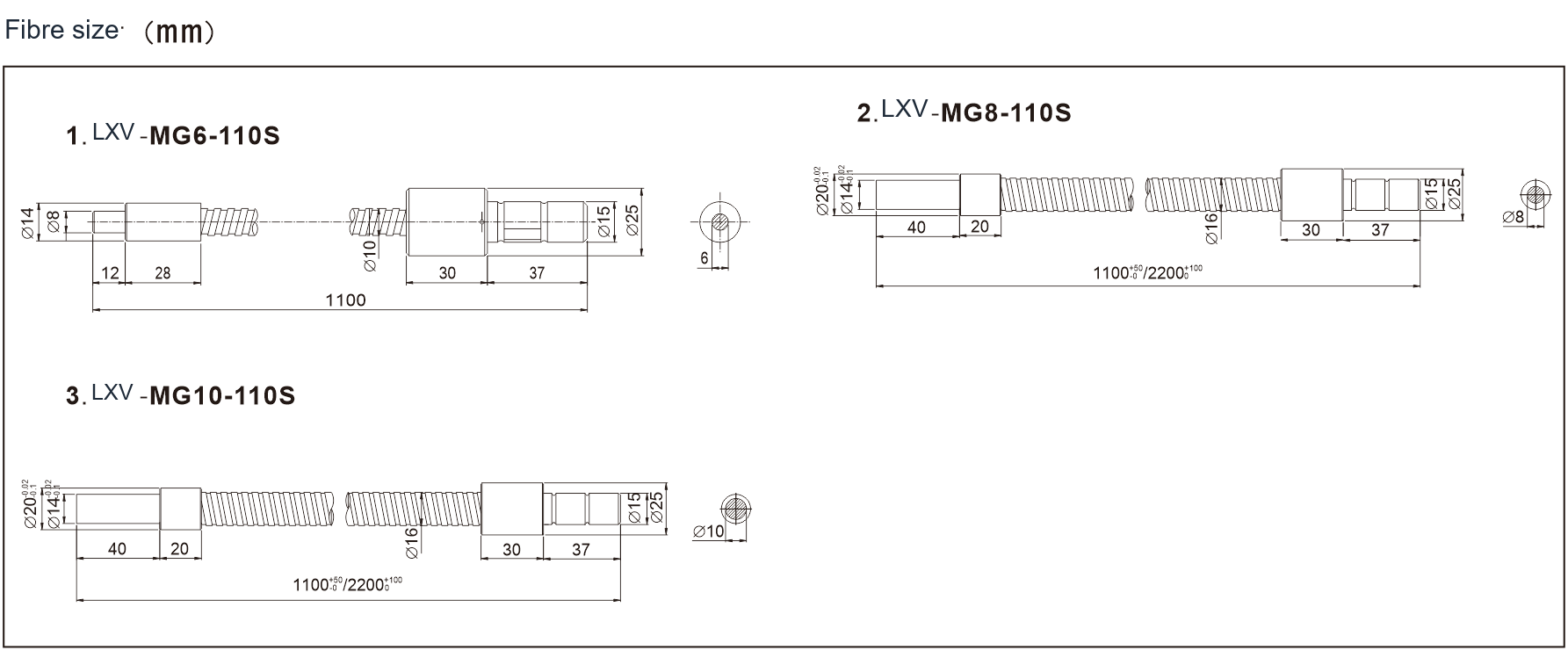
A fibre system separates the light source from its output. Match the source interface, guide diameter, numerical aperture and output geometry. Spot, line and ring guides suit different spaces; coupling and bend radius affect the light reaching the sample.
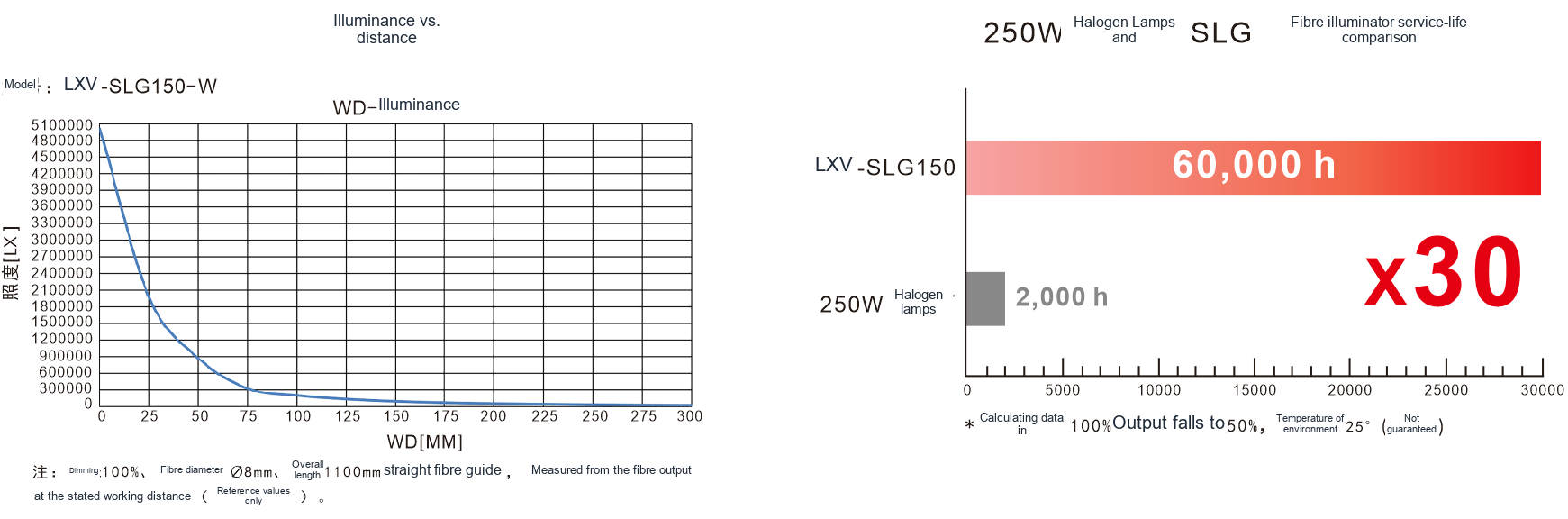
For comparisons, use the same guide, working distance and camera settings. Check connector cleanliness, mounting and temperature. Source output is not the same as illuminance on the workpiece. Judge the complete optical path by usable contrast and exposure margin.
Related product family?
LXV-2SLG
Bring light into compact spaces with a fiber guide.
Communication: RS232/LAN
Light output ports: 1
Compatible bundle diameter: Bundle diameter Φ6-14mm
Beam angle: Full angle 30°
Before choosing a configuration?
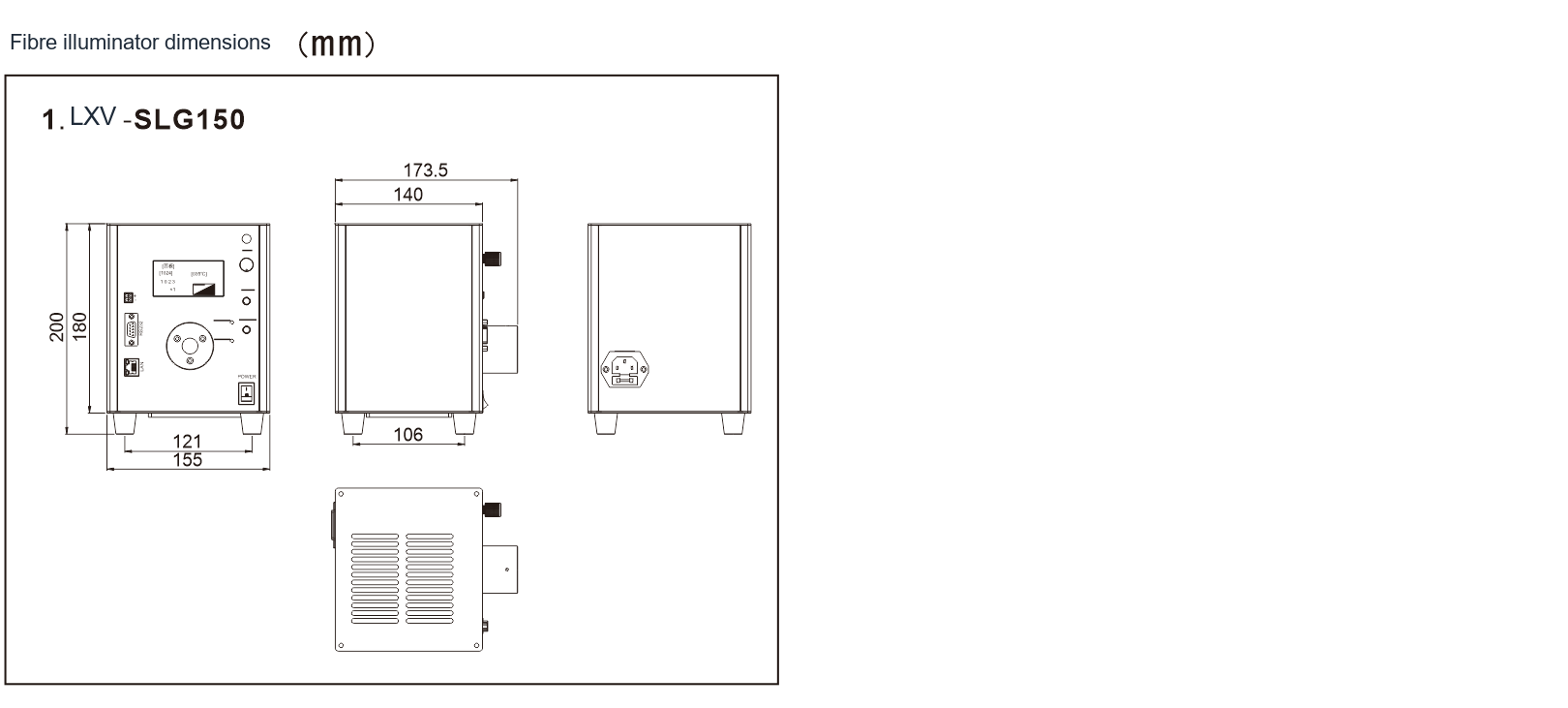
For selection, specify the field of view, smallest target feature, height variation, cycle time and installation space. Use the specific product page and drawing to verify electrical ratings, dimensions and compatibility.
Selecting the complete fibre assembly?
Specify the illuminator, input coupling, guide length, output geometry and working distance together. Verify mechanical and optical compatibility instead of selecting components by connector appearance alone.
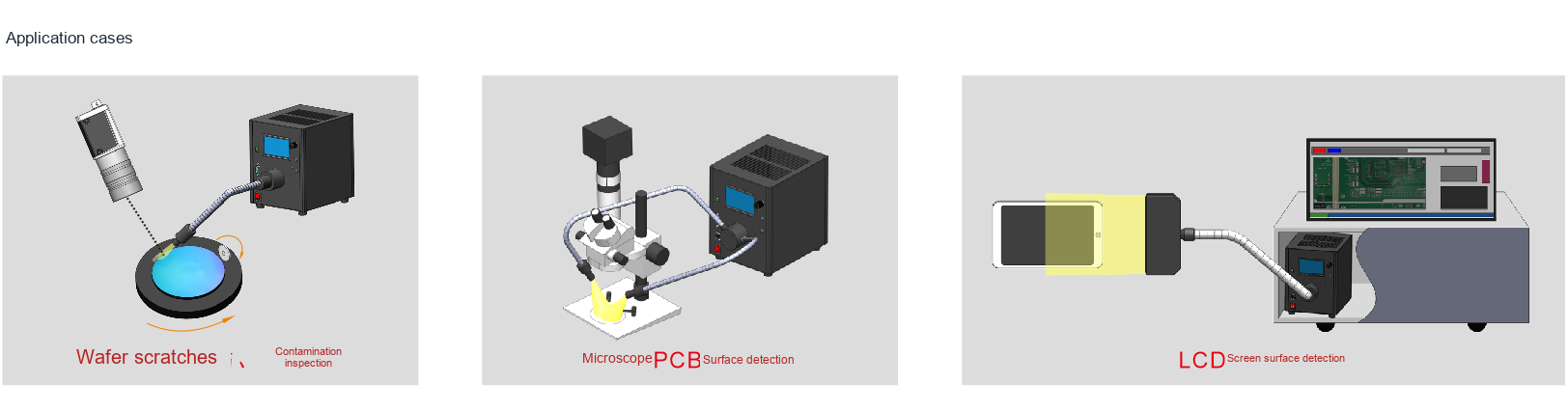
Test useful illumination at the specimen after the full guide is routed. Measure coverage and stability with the production camera. Include replacement access and repeatable mounting in the machine design.
What do the optical setup and sample images show?