What inspection variables should be evaluated?
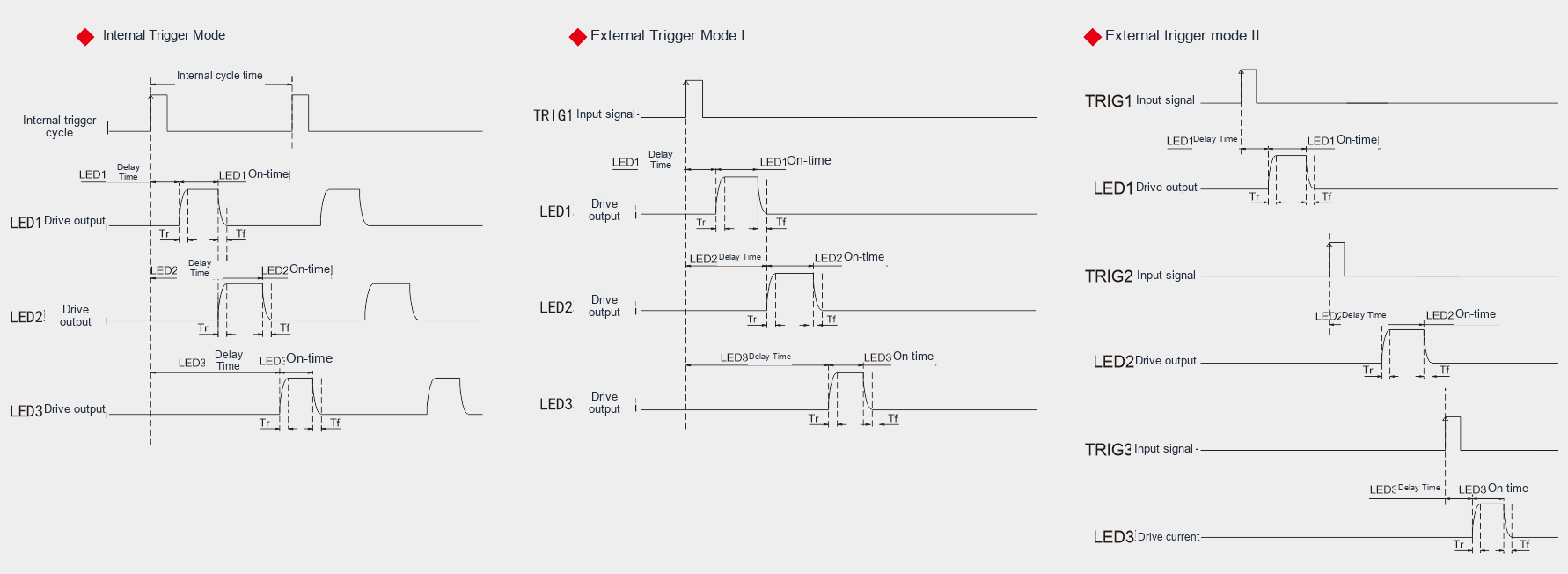
Fix capture order and verify synchronisation for separate colours. For mixed light, record channel ratios for repeatable illumination.
What lighting geometry fits this inspection task?
Light colour changes the relative brightness of materials and printed areas. Compare wavelengths using the sample response, rather than predicting the result from its visible colour alone. Separate sequential colour captures from simultaneous colour mixing.
Capture each colour with controlled exposure and check for saturated or overlapping camera channels. For colour inspection, fix white balance and record illumination conditions. For outlines, prioritise separation from the background. Repeat with material from different batches.
Related product family?
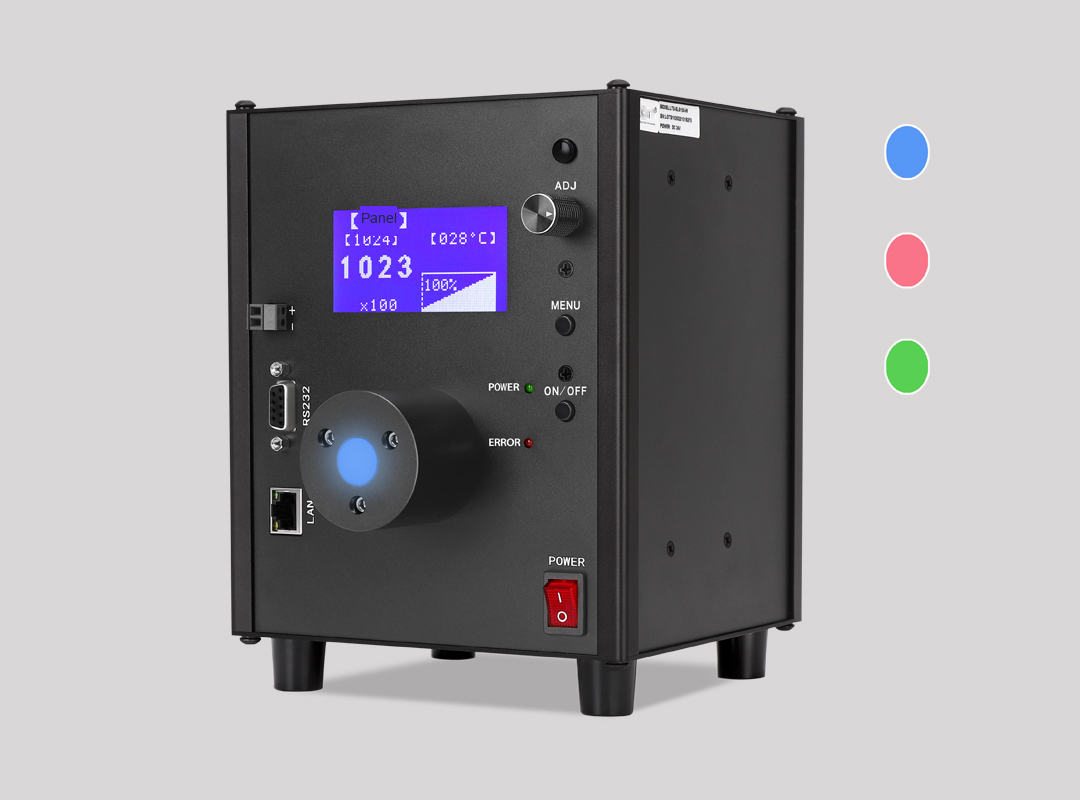
LXV-2SLG
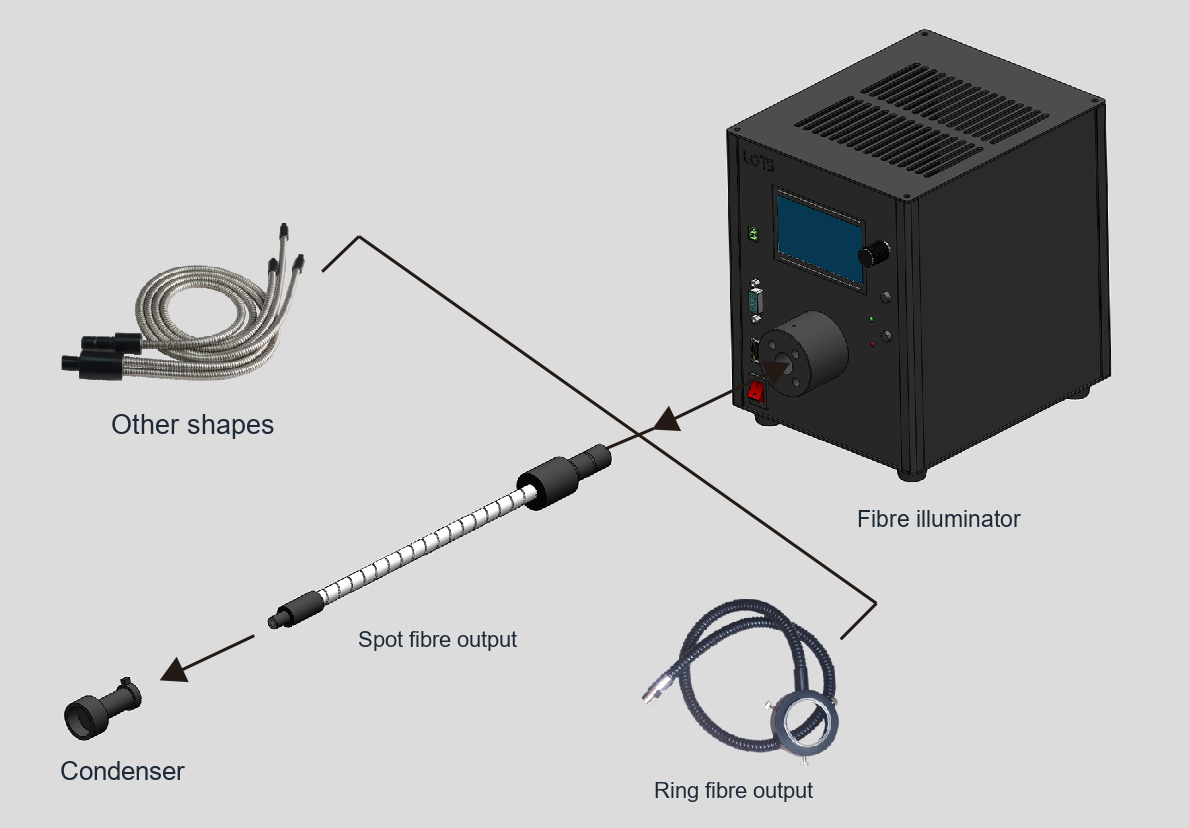
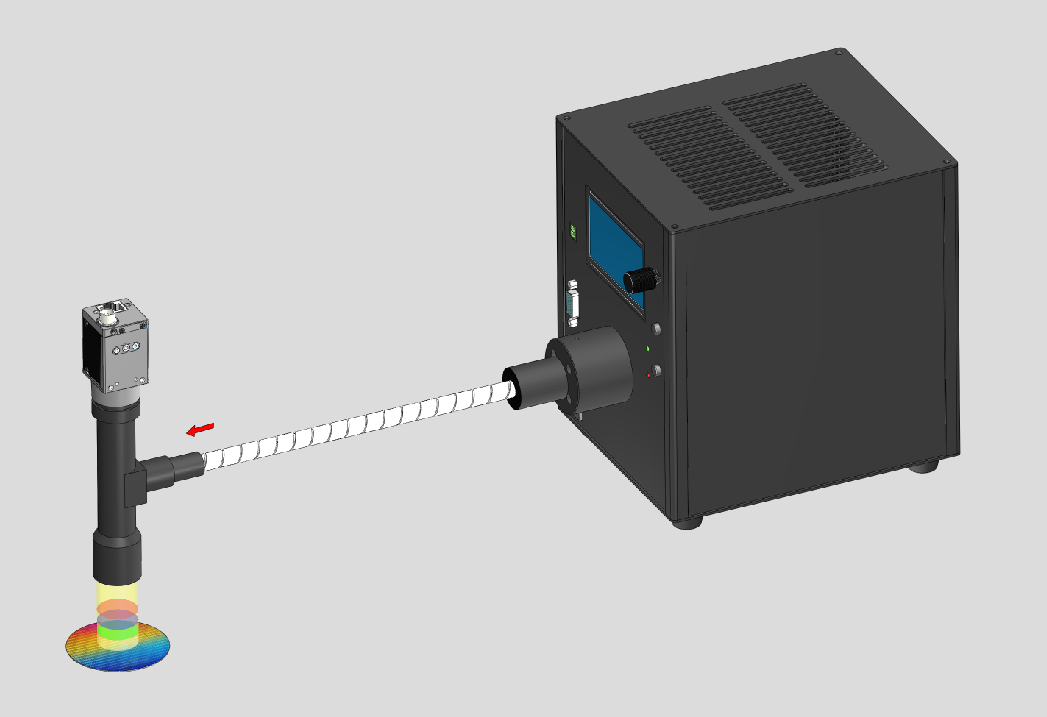
Bring light into compact spaces with a fiber guide.
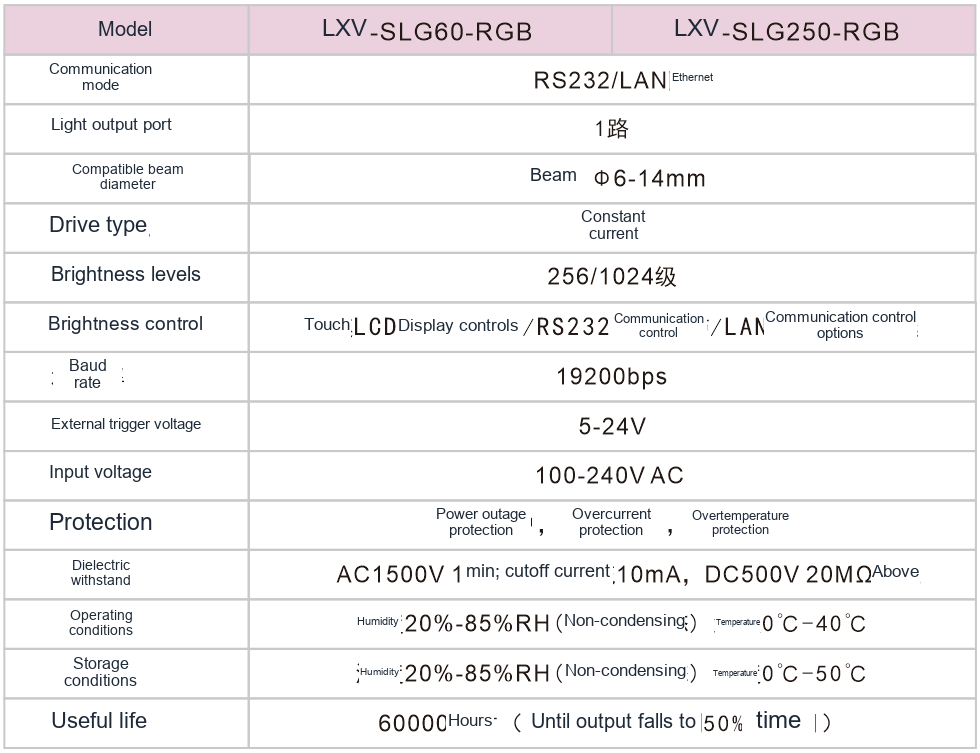
Communication: RS232/LAN
Light output ports: 1
Compatible bundle diameter: Bundle diameter Φ6-14mm
Beam angle: Full angle 30°
Before choosing a configuration?
For selection, specify the field of view, smallest target feature, height variation, cycle time and installation space. Use the specific product page and drawing to verify electrical ratings, dimensions and compatibility.
Choosing between separate and mixed colour?
Separate colour exposures preserve the response to each wavelength band. A mixed exposure combines these responses and may be useful for a different inspection objective. Decide whether the algorithm needs individual material contrasts or an overall colour image.
Verify the timing and brightness balance of all channels. Compare exposures using the same stationary sample before introducing motion. Store channel order and camera settings together to prevent mismatched images during a recipe change.
What do the optical setup and sample images show?