
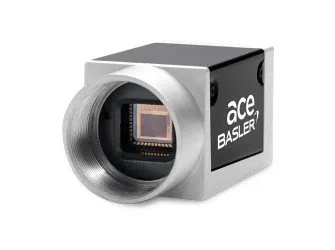
High-resolution area-scan imaging with 9 or 12 MP Sony Pregius sensors
The listed ace L configurations cover 4096-pixel-wide monochrome and colour imaging with GigE or USB 3.0 interfaces. Selection is driven by vertical resolution, required frame rate, sensor, interface and colour mode.
- Resolution families
- 9 / 12 MP
- 4096 px horizontal
- Maximum frame rate
- 42 fps
- 9 MP USB models
- Interfaces
- GigE / USB 3.0
- Model-specific
- Image modes
- Mono / Color
- Paired variants
- Sensors
- IMX267 / 255 / 304 / 253
- Sony Pregius
Wide detailed fields
Use the 4096-pixel horizontal resolution where the inspection must preserve small features across a broad area.
Square 12 MP coverage
Select 4096 × 3000 models when additional vertical field coverage is more important than the highest listed frame rate.
Monochrome inspection
Choose mono for intensity-based measurement and defect contrast where colour separation is not required.
Colour inspection
Choose the paired colour model when hue or colour-pattern information is part of the acceptance criterion.
Resolution, sensor and throughput relationships
The 9 MP group contains two vertical formats and reaches up to 42 fps. The 12 MP group uses 4096 × 3000 and reaches up to 30 fps. Every interface and frame-rate value remains model-specific.
IMX267 / IMX255
GigE IMX267 models run at 12 fps; USB IMX267 models run at 32 fps; USB IMX255 models run at 42 fps.
IMX304 / IMX253
GigE IMX304 models run at 8 fps; USB IMX304 models run at 23 fps; USB IMX253 models run at 30 fps.
Intensity and measurement
Model suffix “m” identifies the monochrome member of each listed interface and sensor pair.
Colour-sensitive inspection
Model suffix “c” identifies the colour member with the same listed resolution, sensor, rate and interface as its paired mono model.
| Group | Resolution | Sensors | Frame-rate range | Interfaces |
|---|---|---|---|---|
| 9 MP | 4096 × 2160 / 2168 | IMX267 / IMX255 | 12–42 fps | GigE / USB 3.0 |
| 12 MP | 4096 × 3000 | IMX304 / IMX253 | 8–30 fps | GigE / USB 3.0 |
Compare all 12 camera configurations
Start from the required image height and acquisition rate, then choose communication interface and mono or colour output.
- 1
Define pixel coverage
Relate the 4096-pixel width and 2160/2168/3000-pixel height to the field of view and smallest feature.
- 2
Set acquisition rate
Choose a model whose listed frame rate supports the production cycle with exposure margin.
- 3
Choose interface
Match GigE or USB 3.0 to cable length, host ports and system architecture.
- 4
Choose mono or colour
Use the paired suffix that matches the inspection’s contrast requirement.
| Camera model | Pixels | Resolution | Sensor | Frame rate | Mode | Interface |
|---|---|---|---|---|---|---|
| acA4096-11gm | 4096 × 2160 | 9 MP | IMX267 | 12 fps | Mono | GigE |
| acA4096-11gc | 4096 × 2160 | 9 MP | IMX267 | 12 fps | Color | GigE |
| acA4096-30um | 4096 × 2168 | 9 MP | IMX267 | 32 fps | Mono | USB 3.0 |
| acA4096-30uc | 4096 × 2168 | 9 MP | IMX267 | 32 fps | Color | USB 3.0 |
| acA4096-40um | 4096 × 2168 | 9 MP | IMX255 | 42 fps | Mono | USB 3.0 |
| acA4096-40uc | 4096 × 2168 | 9 MP | IMX255 | 42 fps | Color | USB 3.0 |
| acA4112-8gm | 4096 × 3000 | 12 MP | IMX304 | 8 fps | Mono | GigE |
| acA4112-8gc | 4096 × 3000 | 12 MP | IMX304 | 8 fps | Color | GigE |
| acA4112-20um | 4096 × 3000 | 12 MP | IMX304 | 23 fps | Mono | USB 3.0 |
| acA4112-20uc | 4096 × 3000 | 12 MP | IMX304 | 23 fps | Color | USB 3.0 |
| acA4112-30um | 4096 × 3000 | 12 MP | IMX253 | 30 fps | Mono | USB 3.0 |
| acA4112-30uc | 4096 × 3000 | 12 MP | IMX253 | 30 fps | Color | USB 3.0 |
Release the camera only after lens, interface, exposure and mounting checks
The listed product record does not contain an independent mechanical drawing. Use the exact selected camera datasheet for housing, connector, lens-mount and fastener dimensions rather than applying one generic envelope.
Lens and sensor coverage
Confirm that the selected lens covers the camera sensor and resolves the required feature across the full 4096-pixel field.
Host interface
Reserve the matching GigE or USB 3.0 port, cable route, bandwidth and host processing capacity.
Exposure and lighting
Validate exposure, gain, aperture and lighting intensity at the required frame rate on the real workpiece.
Mechanical release
Obtain the exact model drawing before fixing brackets, connector clearances, lens supports or protective housings.